AMD Ryzen 9950X Server Japan Review (Real Benchmarks + Unihost Discount Code)
Unihost server review: AMD Ryzen 9950X located in Japan. Real Sysbench and stress-ng benchmarks, performance insights, and a discount code.

AMD Ryzen 9950X Server Japan Review (Real Benchmarks + Unihost Discount Code)
If you’re searching for an AMD Ryzen 9950X server, you’re probably after something very specific: high single-core speed, lots of threads for parallel workloads, and a platform that still behaves like a real server (ECC memory, predictable IO, proper remote ops). This Unihost.com configuration in the Japan hits that target in a pretty practical way. It’s not trying to be a multi-socket EPYC monster, it’s trying to be the fastest possible single-socket workhorse you can deploy for modern infrastructure, CI, containers, and increasingly… Web3 nodes.
The configuration we tested is AMD Ryzen 9 9950X (16C/32T), 128GB DDR4, and 2× 960GB Samsung PM9A3 mirrored in RAID1, with a 10Gbps uplink in the Japan. The 9950X server price is €317.73/month, and you can apply BMC15 for 15% off for the first month.


The AMD Ryzen 9950X server: fast cores and simple topology
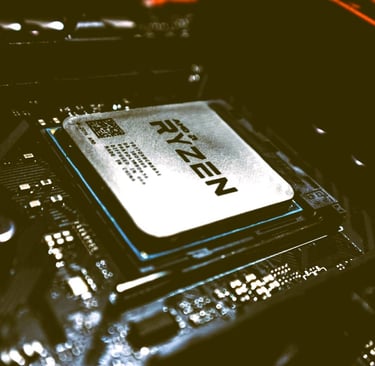
The Ryzen 9 9950X is one of those CPUs that makes a server feel “alive.” Even basic admin tasks, builds, deployments, and container lifecycle operations feel quick because single-thread performance is strong. Under Ubuntu 24.04, the system reports boost enabled and a max clock in the ~5.7GHz range. That matters for real workloads: TLS-heavy APIs, compression, some compute libraries, and crypto-heavy tools can benefit.
One quiet detail that admins tend to appreciate: the machine shows a single NUMA node. That usually means fewer performance surprises when you scale thread counts, run multiple services, or pack containers tightly. Everything is “local” from a memory perspective, which keeps behavior more predictable, especially on long-running production nodes.
CPU benchmarks: strong single-thread feel, solid all-core throughput
Sysbench prime isn’t the final word on performance, but it’s a consistent way to show how a CPU behaves across different thread counts.
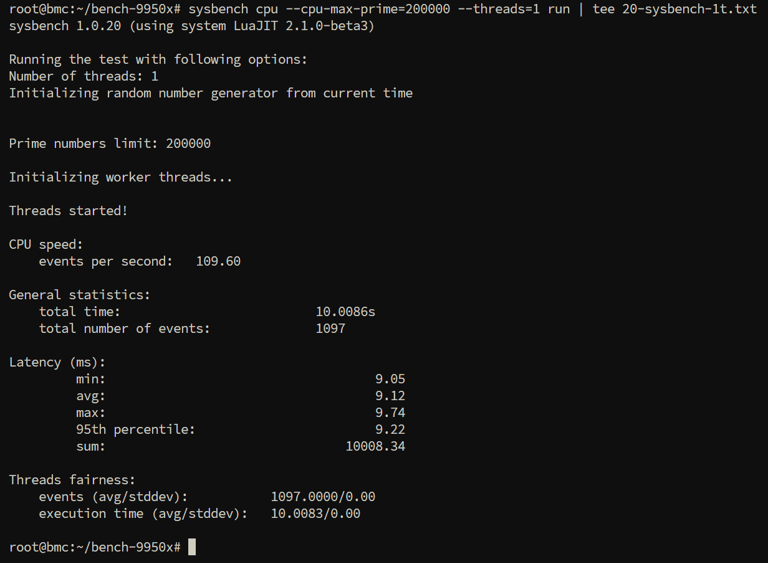
Single-thread performance came in at 109.60 events/sec, which is the kind of number that translates into a snappy experience for workloads that still have serial bottlenecks (a lot of build steps, scripting, API request handling, and certain node tasks that have single-thread hot paths).
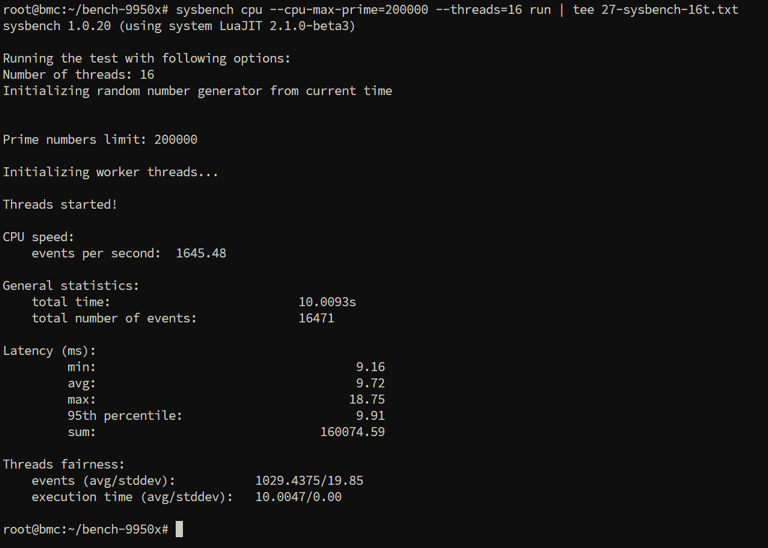
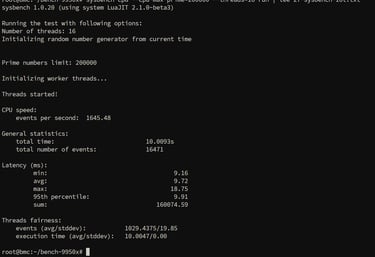
At 16 threads, performance jumped to 1645.48 events/sec. That’s a strong indicator that physical cores are doing real work and scaling properly, ideal for CI runners, build farms, and container-heavy hosts.
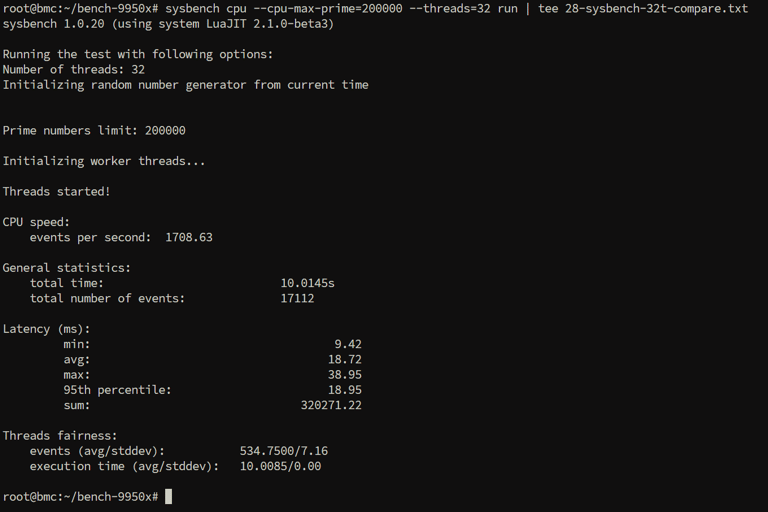
At 32 threads, it landed around 1708.9 events/sec, which is only a small gain over 16 threads. It’s a reminder that SMT isn’t a magic “double performance” switch for every workload. In practice, it gives you extra throughput headroom, but for certain compute patterns, you’re already close to the limits once physical cores are saturated. For latency-sensitive services, you sometimes get the best feel by tuning concurrency closer to physical cores
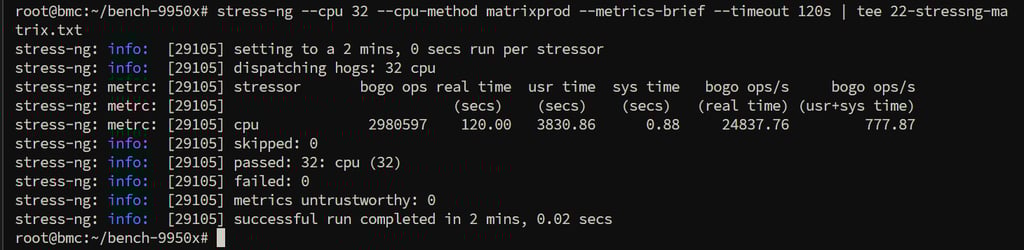
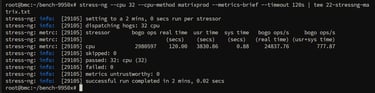
On sustained load, stress-ng runs were stable and clean. That’s important because some high-frequency platforms look great in quick runs and then throttle or wobble over time. Here, the system behaved like a proper dedicated server should: load stays consistent, and the run finishes without weirdness
Storage: Samsung PM9A3 in RAID1 IOPS
The server uses 2× Samsung PM9A3 (960GB each) and mirrors them via Linux RAID1. That’s the classic “admin-approved” setup: if one drive fails, you keep running, and the rebuild story is simple.
Health looked excellent: low temps in the low 30s °C, zero media errors, and 0% wear reported in SMART logs.
On paper, the PM9A3 960GB class is rated around 6500 MB/s sequential read and 1500 MB/s sequential write, with up to 580K IOPS random read and 70K IOPS random write, plus an endurance profile designed for long-running server workloads. In a mirrored RAID1 setup, those numbers translate into a practical balance: fast read performance for things like container pulls, caches, and data-heavy services, and steady write behavior that prioritizes consistency and data safety over peak benchmarking scores.
Web3 / node hosting use cases (AMD Ryzen 9950X usecase)
A lot of Web3 infrastructure is more systems engineering than people expect. It’s not just compute, it’s disk IO characteristics, memory headroom, and keeping a machine stable under constant load. This is where an AMD Ryzen 9950X server can be a surprisingly good fit, especially when you want a high-performance single-socket node in Asia.
This type of configuration works well for:
Solana testnet infrastructure
Testnet and tooling stacks tend to benefit from high GHz CPU, especially if you’re compiling frequently, running multiple services or heavy dev/test cycles. The single-thread speed helps with parts of the workflow that don’t parallelize perfectly, while the 128GB memory gives you room to run additional supporting services without starving the node.
Sui node deployments
Sui nodes and supporting components often lean on storage and consistent CPU throughput. Strong random read behavior helps, and memory headroom reduces the “tuning pain” when you start layering metrics, dashboards, log pipelines, and alerting on the same host.
Polkadot validators
Polkadot infrastructure can be sensitive to consistent performance under load. This is where a stable 16-core platform with good IO and lots of RAM becomes valuable, especially when you’re running the node plus telemetry, backups, and operational tooling.
Monad node devnet/test deployments
For newer chains where the infra story is still evolving, teams often end up doing a lot of iteration: builds, updates, rollbacks, log analysis, performance tuning. This server profile fits that “engineering workflow” nicely. Monad official docs recommend exactly Samsung PM9A1.
More about Unihost.com
Unihost is a global dedicated server provider with a wide choice of locations across Australia, Brazil, Canada, Chile, Colombia, Cyprus, Germany, Finland, France, the United Kingdom, Hong Kong, Israel, Japan, South Korea, Mexico, the Netherlands, Poland, Romania, Sweden, Singapore, the United States, and South Africa.
They offer plenty of pre-built solutions, including Solana-ready servers, GPU servers, and VMware ESXi dedicated servers, plus dedicated servers that can be provisioned with the Microsoft Windows Standard licensing options. Plans start from €28.78/month, and one of the nicest perks is that Windows Server Standard Evaluation (180 days) can be installed for free.
Unihost also supports crypto payments, accepting most popular cryptocurrencies: Bitcoin, Lightcoin, Ethereum, XRP, Tron, Solana, USDC and Polygon.
We also checked Trustpilot, Unihost is rated 4.3/5 based on 58 reviews, with customers frequently highlighting responsive support and the company’s strong focus on custom, business-specific server solutions.